What teams build
Dashboards, forecasting,
and workflow apps.
All in plain Python.
A sales manager sees margin fall on a dashboard, asks an agent to compare three price scenarios with Finance's forecasting app, and approves the change in a workflow app. All three are Streamlit apps, with their logic next to the data.
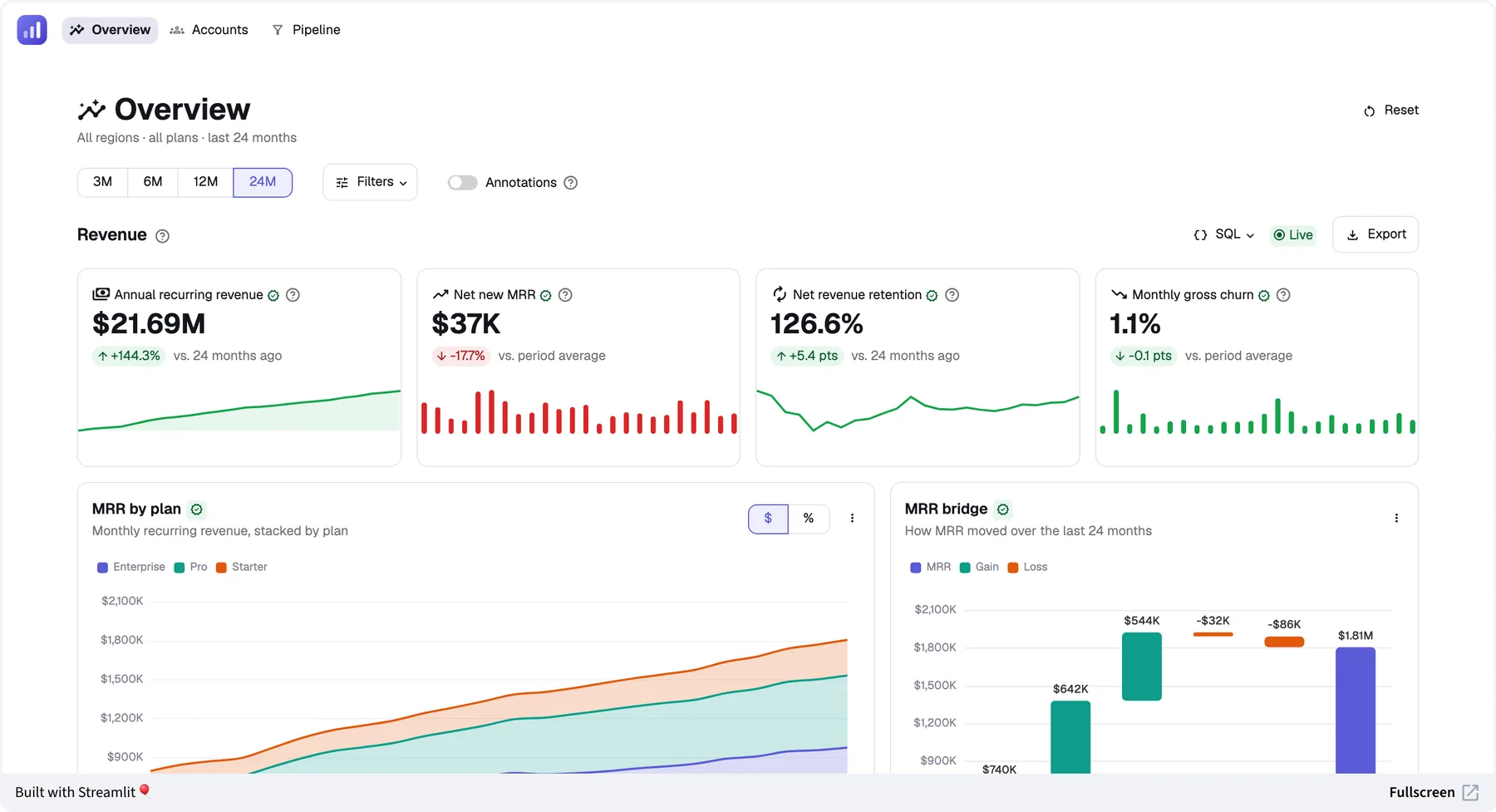
Dashboards
Dashboards that go beyond what BI tools can hold
KPI, product metrics, and operating dashboards with drill-down, cross-filtered views over large tables, live monitoring, and the dashboards a whole company relies on, with Python logic, writeback, and AI behind every number. Ask an agent why this week's numbers moved, and it answers from the dashboard's own filters and numbers.
advanced-dashboard-demo.streamlit.appOpen app ↗
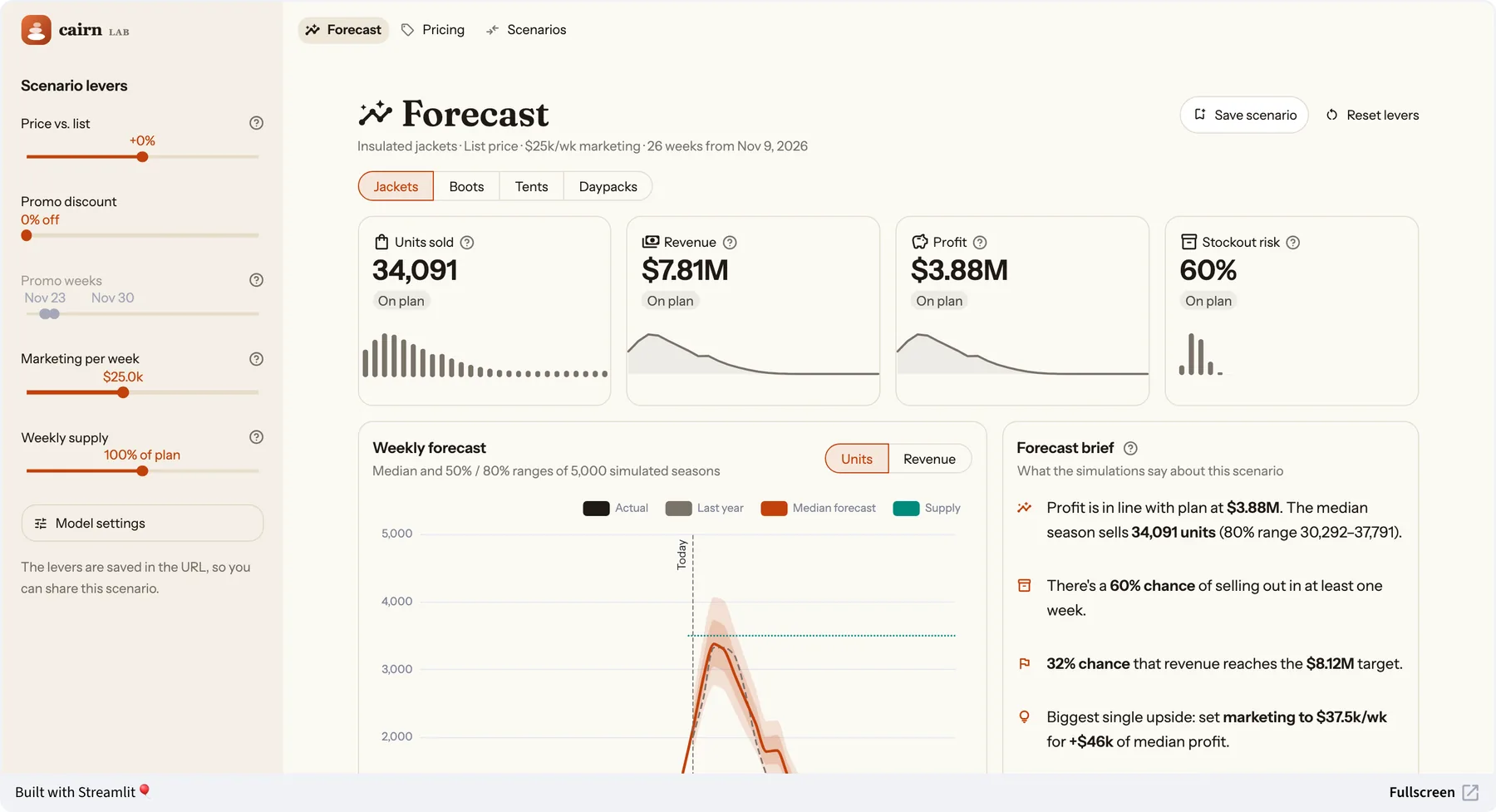
Forecasting apps
The value is the computation
Forecasts with what-if levers, scenario planning, pricing and demand simulators, and churn and risk models. The computation runs in Python next to the data. A custom stack would need a Python backend for it anyway. In Streamlit, the computation and the interface are the same code.
forecasting-app-demo.streamlit.appOpen app ↗
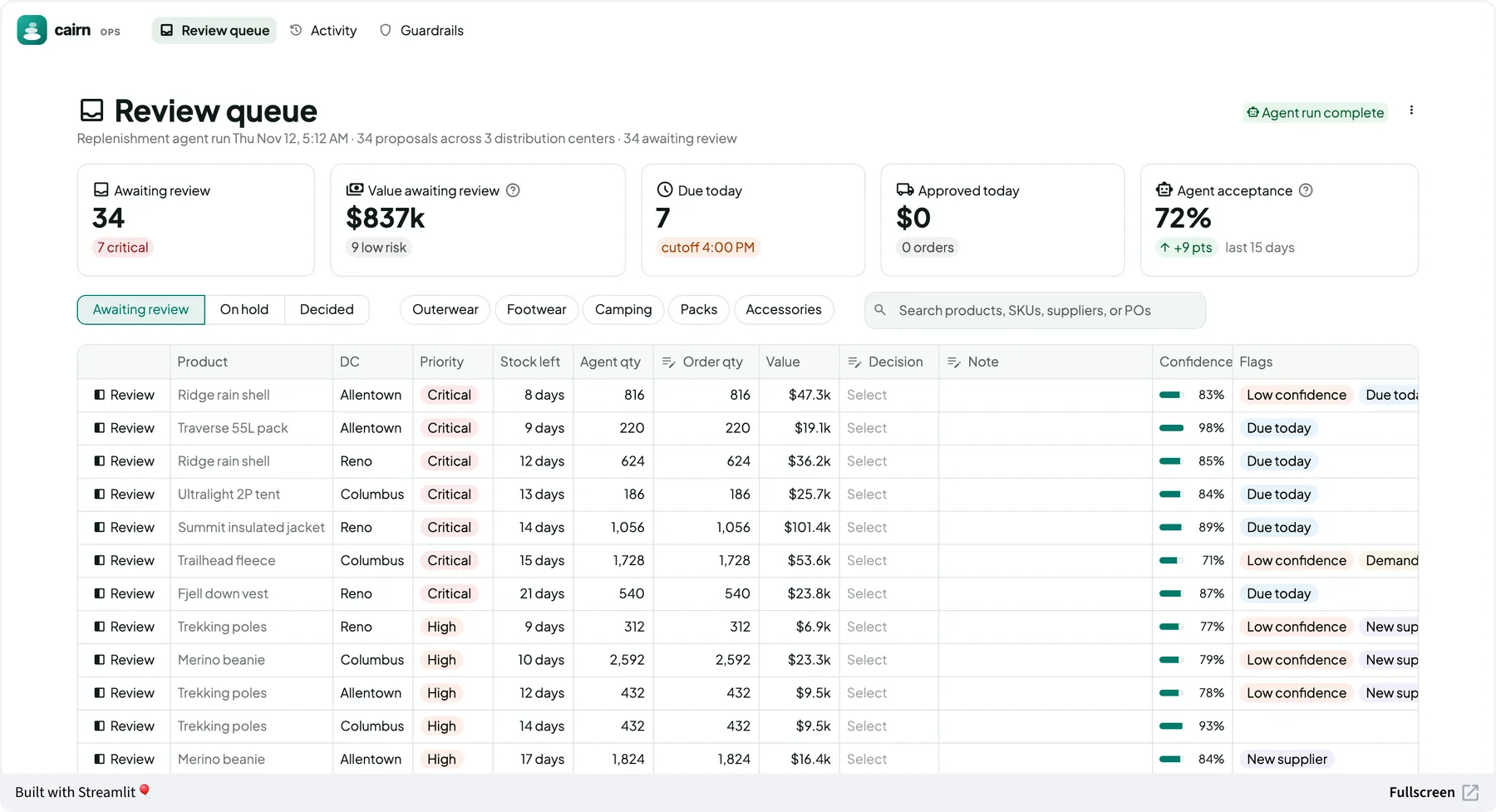
Workflow apps
The decision happens where the data is
Approving what an AI agent proposes, review and approval queues, forecast sign-offs, data-quality triage, and planning input. These apps need editable tables, forms, validation, and writeback, so the decision happens in the same app as the data, checked by the same Python logic that produced the numbers.
workflow-app-demo.streamlit.appOpen app ↗
By team
The apps each team asks for
A few of the apps teams build in Streamlit, grouped by who asks for them. At Snowflake alone, more than 500 production Streamlit apps serve teams from finance to security.
Dashboards
Watch the numbers, and drill in
- Finance: ARR and retention, budget versus actuals, and cloud cost tracking
- Sales and marketing: pipeline, quota attainment, and campaign performance
- Product: usage, feature adoption, funnels, and A/B test results
- Operations: inventory, fulfillment, and plant performance
- Data platform: pipeline health, data quality, and freshness
- ML and AI: model performance, drift, and agent runs
Forecasting apps
Move the levers, see the outcome
- Finance: revenue and cash forecasts, headcount planning, and M&A scenarios
- Sales and marketing: bookings forecasts, and pricing and promotion simulators
- Supply chain: demand forecasting, replenishment, and capacity planning
- Risk: credit and portfolio risk, stress tests, and insurance pricing
- Customer: churn, propensity, and lifetime value models
- Research and engineering: Monte Carlo and process simulations, optimization, and sensitivity analysis
Workflow apps
Review, decide, and write back
- Reviewing AI output: agent-proposed orders, document-extraction checks, and labeling
- Approvals: discounts, price exceptions, and forecast sign-off
- Case review: fraud alerts, insurance claims, and KYC cases
- Data stewardship: data-quality triage, reference data edits, and backfills
- Planning input: targets, quotas, and budget submissions
- Finance operations: reconciliation, invoice matching, and month-end close
Also great for
AI apps, model tools, and internal tools
The same plain Python, built-in authentication, and agent access work for every other kind of data app, too.
AI chat and agent apps
Build assistants and agents right into your data apps, with chat, streaming responses, and step-by-step progress as an agent calls its tools. Connect them to any model or agent framework, or to Cortex on Snowflake. Try the agent app demo.ML and model tools
Explore experiments, compare model runs, and put a model in front of the people who need its predictions, in the same Python as the model.Internal data tools
Data entry, admin panels, and operational tools, with editable tables, file uploads, and built-in authentication.
Frequently asked questions
Get started
Start with the app your team needs most
Set up your coding agent with Streamlit's skills, and describe the app you need. Your data team reviews the Python.
Terminal
$ pip install streamlit
$ streamlit skills

> /developing-with-streamlit Build a review
> queue for proposed price changes, with
> approve and reject, and save the decisions
> to the pricing table.