Generative AI
AI chat and agent apps
over your data
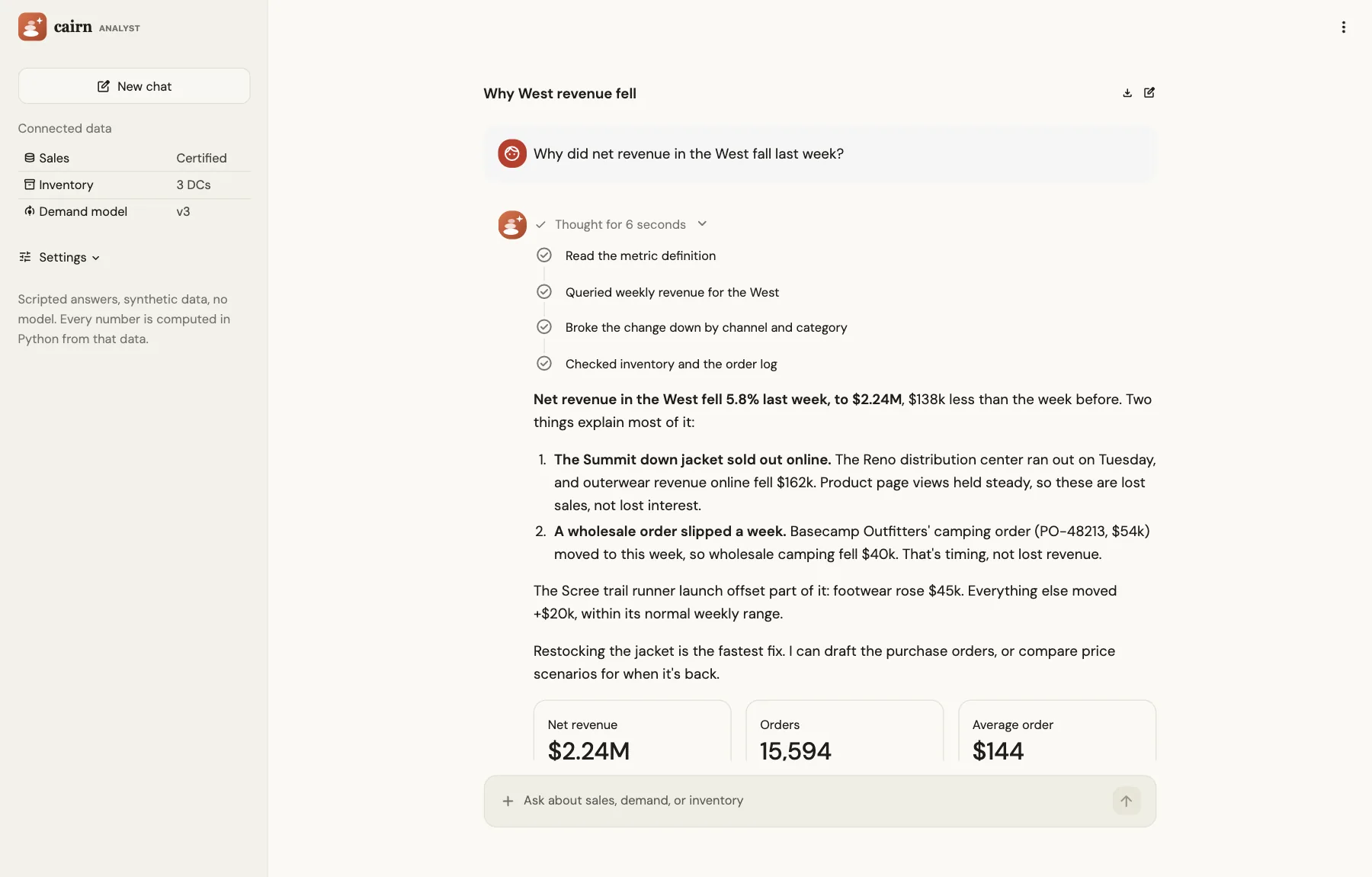
Build assistants and agents right into your data apps, with chat, streaming responses, and step-by-step progress as an agent calls its tools. Connect them to any model or agent framework, or to Cortex on Snowflake, in the same Python as the rest of the app.
agent-app-demo.streamlit.appOpen app ↗
Plain Python
A whole assistant in one Python file
Chat, streaming responses, and the agent's progress are native Streamlit commands, so the assistant lives next to your data and your logic. Swap in any model or agent framework.
assistant.py
import streamlit as st
from agent import run_agent  # any model or agent framework

st.title("Ask the sales data")

if "messages" not in st.session_state:
    st.session_state.messages = []

for msg in st.session_state.messages:
    st.chat_message(msg["role"]).write(msg["content"])

if prompt := st.chat_input("Ask about revenue or churn"):
    st.session_state.messages.append({"role": "user", "content": prompt})
    st.chat_message("user").write(prompt)

    with st.chat_message("assistant"):
        with st.status("Agent steps", type="compact"):
            result = run_agent(prompt, on_step=st.write)
        reply = st.write_stream(result.stream())

    st.session_state.messages.append({"role": "assistant", "content": reply})
Built in
Everything an AI app needs, in the same Python
Chat, streaming, and progress are native Streamlit commands, so an assistant sits right next to the tables and charts it talks about.
Chat
Chat interfaces with message history, avatars, and file attachments, and an input that can stop a long run.Streaming responses
Show a model's answer as it arrives, from any generator, including OpenAI and LangChain streams.Step-by-step progress
Show each tool call as a step in a timeline while the agent works, and tuck its reasoning into a compact toggle.Feedback on every answer
Collect thumbs or star ratings on each response, to evaluate and improve the assistant.Any model or framework
Call any model or agent framework with a Python client, such as OpenAI, Anthropic, LangChain, or LlamaIndex.Cortex on Snowflake
Call Cortex AI's models and functions from an app running inside Snowflake, under Snowflake's access controls.
Agents and people
The agent proposes. People decide.
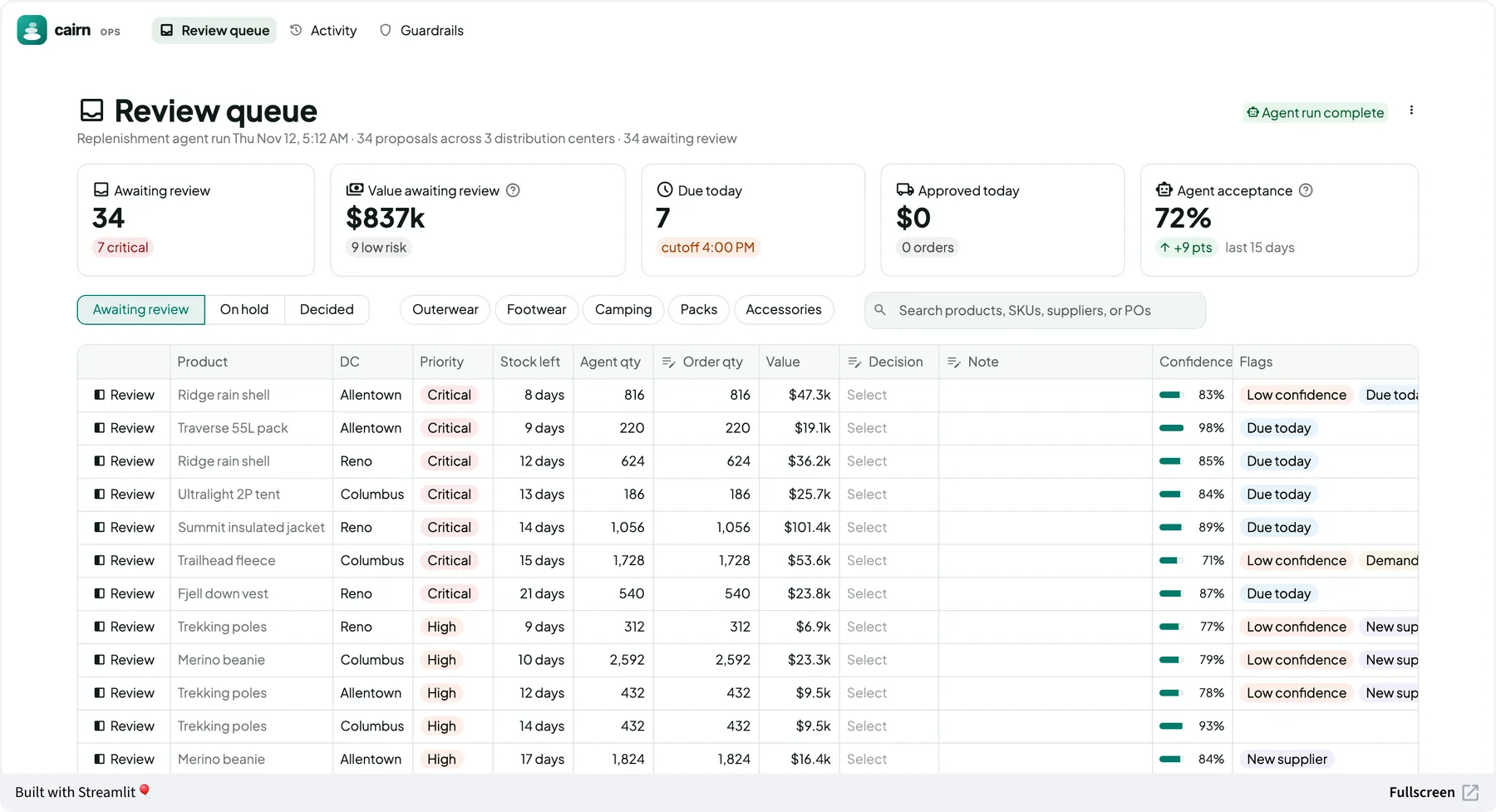
An agent can draft the work, such as replenishment orders or forecast adjustments. People review, adjust, and approve it in a workflow app, checked by the same Python logic that produced the numbers.
workflow-app-demo.streamlit.appOpen app ↗
Agent-native
An assistant in your app, and your app as a tool
An assistant in your app
People ask questions right next to the data, the charts, and the filters, and the assistant works through your own queries and Python logic.Your app as a tool for agents
Every Streamlit app is also a tool that Claude, ChatGPT, Cursor, or any MCP client can use, with the same logic and access rules as people in the browser.
Frequently asked questions
Get started
Build your first AI app
Set up your coding agent with Streamlit's skills, and ask for the assistant you need. The skills cover chat interfaces, streaming, and Snowflake.
Prefer to start from a working app? Start from the agent app demo's source.
Terminal
$ pip install streamlit
$ streamlit skills

> /developing-with-streamlit Build a chat
> app over the orders table that answers
> questions about revenue and shows each
> query it runs.